
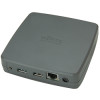

The Silex DS-700 is designed to easily connect and share USB devices over a network. Printers, scanners, disk drives, card readers, or virtually any other USB device can be now be enabled with network capability. It allows flexibility to place the USB device anywhere on the network instead of needing to be attached directly to the computer, and multiple users can access the USB device.
Equipment Sharing from Two Different Networks
Office equipment deployed in a network now can join another network keeping two networks still isolated. The DS-700 can convert a USB device port of the equipment to the network port.
High Data Bandwidth
The DS-700 USB 3 SuperSpeed port provides higher bandwidth over gigabit Ethernet LAN than the legacy USB 2.0 device server. Data transfer from USB devices will complete much faster than ever.
Various Device Support
Isochronous transfer support
USB devices such as a USB web camera and USB speaker, which use the isochronous transfer, can be connected over the network.
Standard TCP/IP Printing (LPR/RAW) support
The DS-700 functions as the print server when a printer is connected. The print server supports Raw printing mode and LPR, which are popular network printing protocols.
SX Virtual Link
SX Virtual Link is a software to access USB devices attached to the USB device server over the network. The software allows users to request other users to release the shared USB device when they want to use.
Easy Configuration for Quick Installation
The configuration of the DS-700 is easy and quick through "Device Server Setup" utility, an integrated configuration web page, or AMC Manager.
Equipment Sharing from Two Different Networks
Office equipment deployed in a network now can join another network keeping two networks still isolated. The DS-700 can convert a USB device port of the equipment to the network port.
High Data Bandwidth
The DS-700 USB 3 SuperSpeed port provides higher bandwidth over gigabit Ethernet LAN than the legacy USB 2.0 device server. Data transfer from USB devices will complete much faster than ever.
Various Device Support
Isochronous transfer support
USB devices such as a USB web camera and USB speaker, which use the isochronous transfer, can be connected over the network.
Standard TCP/IP Printing (LPR/RAW) support
The DS-700 functions as the print server when a printer is connected. The print server supports Raw printing mode and LPR, which are popular network printing protocols.
SX Virtual Link
SX Virtual Link is a software to access USB devices attached to the USB device server over the network. The software allows users to request other users to release the shared USB device when they want to use.
Easy Configuration for Quick Installation
The configuration of the DS-700 is easy and quick through "Device Server Setup" utility, an integrated configuration web page, or AMC Manager.
Connectivity technology
- Wired
MPN
- E1598
Host Interface
- USB
Interface
- Ethernet
USB Powered
- Yes
Output Voltage
- 12 V
Ethernet LAN (RJ-45) Ports
- 1
Ethernet LAN Data Rates
- 10,100,1000 Mbit/s
Storage relative humidity (H-H)
- 20 - 80%
Storage temperature (T-T)
- -10 - 50 °C
Internal
- No
Operating relative humidity (H-H)
- 20 - 90%
Operating temperature (T-T)
- 0 - 40 °C
Windows operating systems supported
- Windows 10, Windows 7, Windows 8, Windows 8.1
Security algorithms
- AES, WEP, WPA, WPA2-Enterprise, WPA3-Enterprise
Ethernet LAN
- Yes
Power consumption (typical)
- 5.4 W
Weight
- 135 g
Depth
- 109 mm
Width
- 110 mm
Height
- 27 mm
Brand
- Fujitsu


UK Address:
Lovelace Road,
Bracknell,
Berkshire,
RG12 8SN,
United Kingdom
Website (UK): global.fujitsu/en-uk
Email (UK): Contact Us
EU Address:
Fritz-Vomfelde-Straße 26-32,
40547 Düsseldorf,
Germany
Website (EU): fujitsu-general.com/eu/
Email (EU): Contact Us
This product complies with the General Product Safety Regulation (GPSR) and meets all relevant EU safety standards.
For detailed compliance documents, please review the provided link above.
If you have any questions or require further assistance, you can:
- Contact the manufacturer directly at the listed addresses or support emails.
- Email Northamber Product Safety at productsafety@northamber.com.