
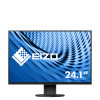

Triple Work Efficiency with a Multi-Monitor Environment
Working on a laptop or small monitor can be cumbersome due to the small screen size which limits the amount of applications that can be used simultaneously. With daisy chain compatibility, even a laptop or mini PC with only one output terminal can be connected to up to four monitors. With over triple the work space, more applications can be used simultaneously for improved work efficiency.
Create a Clean and Sophisticated Multi-Monitor Office
Typically multi-monitor environments are an eye-sore, cluttered with messy cables and overbearing monitors. The EV2457 offers a clean and sophisticated solution, allowing two to four monitors to be neatly installed for improved efficiency.
1. Mess-Free Cabling with Daisy Chain
With daisy chain, multiple monitors can be connected with several short cables (such as the PP100) between monitors rather than connecting multiple long cables connected to the PC. This allows for easy cable management, reducing clutter from on and behind the desk.
2. Four-Port USB Hub for Convenient Connection
Each monitor has four USB 3.1 Type-A ports, with 5V power supply, for connecting peripheral devices such as a mouse, keyboard and/or headset. This is ideal for conveniently connecting frequently used devices at hands-reach.
3. Refreshing White
The EV2457 comes with a white cabinet option with matching cables. Compared to black, white monitors offer a refreshing change that brightens the office with style.
4. Four-Sided Frameless and Fully Flat
The EV2457 comes with EIZO's four-sided frameless and fully flat bezel design, featuring super thin bezels that are flush with the screen. When using multiple monitors, the distance between screens is miniscule, allowing for more space on the desk and minimal distractions when working across multiple screens. Furthermore with the white cabinet option, the presence of the bezels is barely noticeable.
Synchronized Multi-Monitor Control
Controlling the power and screen settings of monitors in a multi-monitor environment can be time consuming and cumbersome. With the free software Screen InStyle, the power and screen settings of all connected monitors can be adjusted at once for quick and easy management.
Auto Brightness Control
To prevent eye fatigue, a brightness sensor called Auto EcoView detects the changes in the ambient brightness that occurs throughout the day and automatically adjusts the screen to the ideal brightness level.
Clear View from All Angles
The monitor uses an LED-backlit IPS (in-plane switching) LCD panel with 178° viewing angle and a 10-bit LUT that minimizes color shift and contrast changes when viewing the screen at an angle. This means that two people sitting at the one computer can easily see the screen with high image quality.
Reduce Blue Light by 80%
In the visible light spectrum, blue light has wavelengths adjacent to ultraviolet light. Compared to the factory preset setting of 6500 K of typical LCD monitors, Paper Mode is closer to the spectral distribution with long reddish wavelengths so it reduces the amount of blue light, a cause of eye fatigue, and helps prevent eyestrain when reading documents. When used in conjunction with Auto EcoView dimming function, blue light can be reduced by as much as 80%.
Flicker-Free Viewing
Due to the way brightness is controlled on LED backlights, a small number of people perceive flicker on their screen which causes eye fatigue. The FlexScan EV2457 utilizes a hybrid solution to regulate brightness and make flicker unperceivable without any drawbacks like compromising color stability – even on low brightness settings.
Minimum Brightness of Approximately 1 cd/m2
In a dimly-lit work environment, a monitor with low brightness settings is more comfortable to use. With its LED backlight, the monitor is adjustable to approximately 1 cd/m² which is less than 1% of the maximum.
Non-Glare Panel
A non-glare panel reduces eye fatigue by dissipating reflective light that would otherwise make the screen difficult to view from different positions.
Versatile Stand
The stand features height adjustment, tilt, and swivel, while saving space and remaining stylish. Quickly and smoothly adjust your monitor to the perfect position.
Front-Channeling Speakers
The EV2457 has speakers that channel through the minimalist front bezel, ensuring that sound is focused on the user and not on people behind the monitor.
DisplayPort, HDMI and DVI-D Inputs, and DisplayPort 1.2 MST Output
The monitor is equipped with three input terminals: DisplayPort, HDMI and DVI-D. It is also equipped with a DisplayPort 1.2 MST output for daisy chain use. Four USB 3.1 Type-A ports and a headphone jack are also installed for convenient connection with peripheral devices.
Free Up Your Workspace with a Stand Bracket
The PCSK-03 is a VESA-compliant bracket for easily mounting a client terminal such as a thin client or mini PC to the back of the monitor's stand. The space the client terminal previously occupied is now freed up so you can make better use of your desktop. Even with the client terminal attached you can adjust the monitor's stand freely.
Working on a laptop or small monitor can be cumbersome due to the small screen size which limits the amount of applications that can be used simultaneously. With daisy chain compatibility, even a laptop or mini PC with only one output terminal can be connected to up to four monitors. With over triple the work space, more applications can be used simultaneously for improved work efficiency.
Create a Clean and Sophisticated Multi-Monitor Office
Typically multi-monitor environments are an eye-sore, cluttered with messy cables and overbearing monitors. The EV2457 offers a clean and sophisticated solution, allowing two to four monitors to be neatly installed for improved efficiency.
1. Mess-Free Cabling with Daisy Chain
With daisy chain, multiple monitors can be connected with several short cables (such as the PP100) between monitors rather than connecting multiple long cables connected to the PC. This allows for easy cable management, reducing clutter from on and behind the desk.
2. Four-Port USB Hub for Convenient Connection
Each monitor has four USB 3.1 Type-A ports, with 5V power supply, for connecting peripheral devices such as a mouse, keyboard and/or headset. This is ideal for conveniently connecting frequently used devices at hands-reach.
3. Refreshing White
The EV2457 comes with a white cabinet option with matching cables. Compared to black, white monitors offer a refreshing change that brightens the office with style.
4. Four-Sided Frameless and Fully Flat
The EV2457 comes with EIZO's four-sided frameless and fully flat bezel design, featuring super thin bezels that are flush with the screen. When using multiple monitors, the distance between screens is miniscule, allowing for more space on the desk and minimal distractions when working across multiple screens. Furthermore with the white cabinet option, the presence of the bezels is barely noticeable.
Synchronized Multi-Monitor Control
Controlling the power and screen settings of monitors in a multi-monitor environment can be time consuming and cumbersome. With the free software Screen InStyle, the power and screen settings of all connected monitors can be adjusted at once for quick and easy management.
Auto Brightness Control
To prevent eye fatigue, a brightness sensor called Auto EcoView detects the changes in the ambient brightness that occurs throughout the day and automatically adjusts the screen to the ideal brightness level.
Clear View from All Angles
The monitor uses an LED-backlit IPS (in-plane switching) LCD panel with 178° viewing angle and a 10-bit LUT that minimizes color shift and contrast changes when viewing the screen at an angle. This means that two people sitting at the one computer can easily see the screen with high image quality.
Reduce Blue Light by 80%
In the visible light spectrum, blue light has wavelengths adjacent to ultraviolet light. Compared to the factory preset setting of 6500 K of typical LCD monitors, Paper Mode is closer to the spectral distribution with long reddish wavelengths so it reduces the amount of blue light, a cause of eye fatigue, and helps prevent eyestrain when reading documents. When used in conjunction with Auto EcoView dimming function, blue light can be reduced by as much as 80%.
Flicker-Free Viewing
Due to the way brightness is controlled on LED backlights, a small number of people perceive flicker on their screen which causes eye fatigue. The FlexScan EV2457 utilizes a hybrid solution to regulate brightness and make flicker unperceivable without any drawbacks like compromising color stability – even on low brightness settings.
Minimum Brightness of Approximately 1 cd/m2
In a dimly-lit work environment, a monitor with low brightness settings is more comfortable to use. With its LED backlight, the monitor is adjustable to approximately 1 cd/m² which is less than 1% of the maximum.
Non-Glare Panel
A non-glare panel reduces eye fatigue by dissipating reflective light that would otherwise make the screen difficult to view from different positions.
Versatile Stand
The stand features height adjustment, tilt, and swivel, while saving space and remaining stylish. Quickly and smoothly adjust your monitor to the perfect position.
Front-Channeling Speakers
The EV2457 has speakers that channel through the minimalist front bezel, ensuring that sound is focused on the user and not on people behind the monitor.
DisplayPort, HDMI and DVI-D Inputs, and DisplayPort 1.2 MST Output
The monitor is equipped with three input terminals: DisplayPort, HDMI and DVI-D. It is also equipped with a DisplayPort 1.2 MST output for daisy chain use. Four USB 3.1 Type-A ports and a headphone jack are also installed for convenient connection with peripheral devices.
Free Up Your Workspace with a Stand Bracket
The PCSK-03 is a VESA-compliant bracket for easily mounting a client terminal such as a thin client or mini PC to the back of the monitor's stand. The space the client terminal previously occupied is now freed up so you can make better use of your desktop. Even with the client terminal attached you can adjust the monitor's stand freely.
AMD FreeSync
- No
Height (Without Stand)
- 343.8 mm
Height (With Stand)
- 353.3 mm
Headphone Out
- Yes
Energy Efficiency Scale
- A to G
Energy Efficiency Class (SDR)
- D
Energy Consumption (SDR) Per 1000 Hours
- 14 kWh
Display Brightness (Typical)
- 350 cd/m²
Depth (Without Stand)
- 45.5 mm
Depth (With Stand)
- 190 mm
Backlight Type
- LED
NVIDIA G-SYNC
- No
DisplayPorts Quantity
- 2
HDCP
- Yes
Built-in USB Hub
- Yes
DVI Port
- Yes
HDMI Version
- 1.4
Panel Type
- IPS
Colour Gamut Standard
- sRGB
Contrast Ratio (Typical)
- 1000:1
Display Technology
- LED
Width (Without Stand)
- 531 mm
MPN
- EV2457-BK
TV Tuner Integrated
- No
DVI-D Ports Quantity
- 1
Weight (Without Stand)
- 3.8 kg
Viewing Angle, Vertical
- 178°
Viewing Angle, Horizontal
- 178°
Number of Upstream Ports
- 1
Display Number of Colours
- 16.78 million colours
DisplayPort Version
- 1.3
Market Positioning
- Business
Width (With Stand)
- 531 mm
Weight (With Stand)
- 5.8 kg
Viewable Size, Vertical
- 32.4 cm
Viewable Size, Horizontal
- 51.8 cm
USB Type-A Downstream Ports Quantity
- 4
Screen Shape
- Flat
Pixel Pitch
- 0.27 x 0.27 mm
On Screen Display (OSD)
- Yes
On Screen Display (OSD) Languages
- Simplified Chinese, Traditional Chinese, German, English, Spanish, French, Italian, Japanese, Swedish
Height (max)
- 51 cm
Power Consumption (max)
- 59 W
Certification
- TCO Certified Generation 8, EPEAT Gold 2009 (US), EPEAT 2018 (US), TUV/Ergonomics, TUV/Low blue light content, TUV/Flicker Free, TUV/GS, RCM, CE, CB, cTUVus, FCC-B, CAN ICES-3 (B), TUV/S, PSE, VCCI-B, EPA Energy Star, RoHS, WEEE, China RoHS, CCC, EAC
Cables included
- AC, DisplayPort, USB
Operating relative humidity (H-H)
- 20 - 80%
Operating temperature (T-T)
- 5 - 35 °C
Power consumption (standby)
- 0.5 W
Power consumption (typical)
- 13.6 W
Touchscreen
- No
Pivot angle
- 0 - 90°
AC Input Voltage
- 100 - 240 V
VESA mounting
- Yes
Swivel angle range
- 0 - 344°
Harmonized System (HS) code
- 85285210
Product Colour
- Black
Swivelling
- Yes
Tilt angle range
- -5 - 35°
Tilt adjustment
- Yes
Height adjustment
- Yes
Panel mounting interface
- 100 x 100 mm
Native Aspect Ratio
- 16:10
Response Time
- 5 ms
RMS Rated Power
- 2 W
Number of Speakers
- 2
Built-In Speaker(s)
- Yes
Supported Graphics Resolutions
- 1920 x 1200 (WUXGA)
HD Type
- WUXGA
Headphone Outputs
- 1
VGA (D-Sub) Ports Quantity
- 0
HDM Ports Quantity
- 1
3D
- No
Pivot
- Yes
Display Resolution
- 1920 x 1200 pixels
Aspect Ratio
- 16:10
Display Diagonal
- 61.2 cm (24.1")
Cable Lock Slot
- No
Sustainability Certificates
- EPEAT Gold
Quick Start Guide
- Yes
AC Input Frequency
- 50 - 60 Hz
Brand
- eizo